
Telegram Channel vs Group: Which to Start and How to Link
Telegram channel vs group explained: member limits, admin tools, view counters, monetization, and how to link a discussion group so posts get comments.
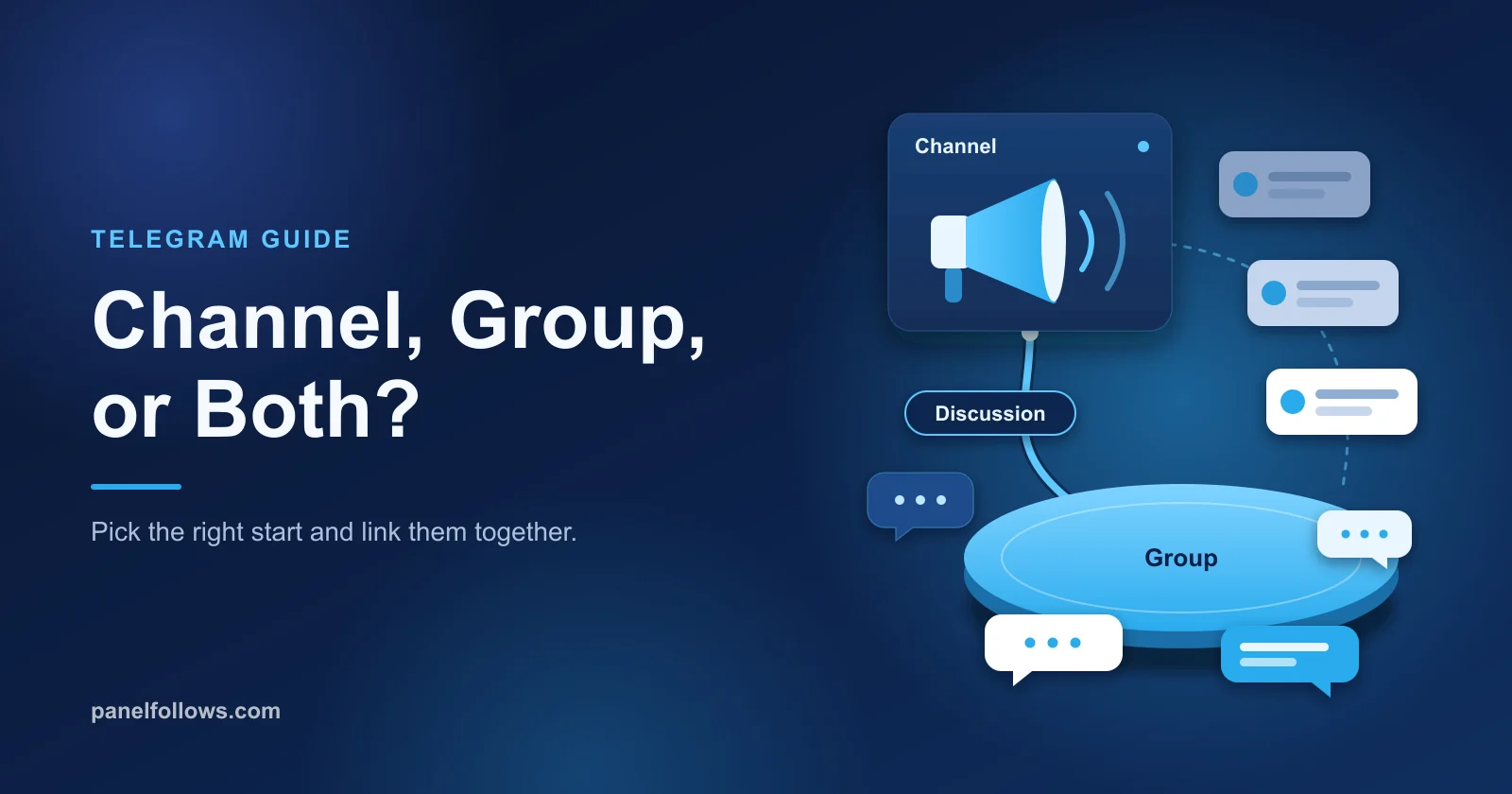
The Telegram channel vs group choice comes down to who can post. A Telegram channel is a one-way broadcast: only admins post, subscribers read, there is no subscriber limit, and every post shows a view count. A Telegram group is a conversation where members talk to each other, with room for up to 200,000 people. Start a channel if you publish, start a group if your audience needs to talk, and link the two when you want both, because a linked discussion group becomes the comment section under every channel post.
This guide compares the two on what actually changes your day: who can post, member limits, supergroups and broadcast groups, view counters, moderation and monetization. Then it gives you a decision matrix, the steps to link a discussion group to a channel, the settings to change afterward, and a 30-day launch plan. Where a number comes from a community limit tracker rather than Telegram itself, the text says so. Facts in this guide were checked in October 2026.
What is the difference between a Telegram channel and a group?
The difference is who gets to speak. In a channel, only admins publish, posts appear under the channel's name and logo, and subscribers can read, react and (if you allow it) comment, but never write into the feed. In a group, every member can post by default under their own name, and the point is that people talk to each other.
Everything else follows from that choice. Because subscribers never post, a channel can grow without limit, hide its subscriber list and show a view count on each post. Because group members do post, groups need permissions, slow mode, spam controls and moderators, and they have a size ceiling.
A useful mental model: a channel is a publication, a group is a room. Most confusion comes from wanting a publication but opening a room, then wondering why important posts drown in chatter.
Telegram channel vs group: the full feature comparison
The table below covers the features people actually compare when choosing. Limits marked "tracker" come from community limit lists such as Telegram Limits by Telegram Info, not from an official Telegram page.
| Feature | Channel | Group (supergroup) |
|---|---|---|
| Who can post | Admins only | All members, unless permissions restrict them |
| Size limit | Unlimited subscribers | 200,000 members (unlimited only after converting to a broadcast group) |
| Sender shown on posts | Channel name and photo (optional author signature) | Each member's own name and profile |
| Member list | Hidden from other subscribers | Visible to members by default (admins of larger groups can hide it) |
| View counter per post | Yes, on every post | No per-message view count |
| Replies and discussion | Comments, only through a linked discussion group | Native replies, mentions and threads |
| Topics (forum mode) | No | Yes, can be enabled by the owner |
| Slow mode and member permissions | Not needed, members cannot post | Yes |
| Built-in statistics | Yes, past a size threshold (tracker: 500 subscribers) | Yes, past a size threshold (tracker: 500 members) |
| Telegram ad revenue share | Public channels with 1,000+ subscribers | Not part of the program |
| Admins | Up to 50 (tracker) | Up to 50 (tracker) |
| Bots | Can be admins to post or moderate | Up to 20 per group (tracker) |
| New member sees history | Full history | Depends on the group's history setting |
Two rows matter most. The view counter is the biggest practical difference for anyone who sells ads, reports to a client or tests content. And the comment row explains why the answer is often "both": a channel only gets comments if you attach a group to it.
What is a Telegram supergroup, and how big can a group get?
A Telegram supergroup is simply a group that has grown past the limits of the original "basic" group format, and today almost every real community is one. Basic groups hold up to 200 members and have limited admin controls. Telegram upgrades a group to a supergroup automatically when it crosses 200 members, and also when you use features that need it, such as a public link or linking it as a channel's discussion group. Telegram's developer documentation still uses the word "supergroup", which is why you see it in bot settings and API docs.
Above the supergroup sits the broadcast group, introduced in 2021. Telegram's tip about broadcast groups explains that groups close to 200,000 members can convert to unlimited membership, where only admins post but everyone can read and join voice chats. Community trackers put the threshold at 199,000 members.
| Format | Member ceiling | Who posts | When you get it |
|---|---|---|---|
| Basic group | 200 | Everyone | New small private group |
| Supergroup | 200,000 | Everyone (configurable) | Automatically past 200 members, or when a feature requires it |
| Broadcast group | Unlimited | Admins only | Manual conversion near the 200,000 ceiling |
| Channel | Unlimited | Admins only | You create a channel instead of a group |
You never choose "supergroup" from a menu; what matters is the ceiling. An audience that could plausibly pass 200,000 people belongs in a channel, with a group attached for those who want to talk. A broadcast group is an emergency exit for a community that outgrew its room, not a starting format, because it behaves like a channel without the channel's view counters.
How do view counters and statistics differ?
Channels show a view count on every post, and groups do not show per-message views at all. That one difference decides a lot of things: whether advertisers will buy placements from you, whether you can report results to a client, and whether you can tell which kinds of posts work.
The number to watch on a channel is average views per post divided by subscribers, often called reach rate or ERR in Telegram ad marketplaces. Say you run a channel for a niche hobby with 4,000 subscribers and your last 20 posts average 1,100 views. Your reach rate is 27.5 percent. That is an illustration of the math, not a benchmark; Telegram publishes no official "good" figure, and rates vary widely by niche, posting frequency and how the audience was acquired. Our guide to calculating engagement rate covers the denominator choices in more detail.
Both channels and groups also get a statistics panel once they are big enough (community trackers list 500 subscribers or members). Channel statistics show growth, follower sources and per-post interactions. Group statistics focus on members, messages and top posters, which helps moderation but says little about whether an announcement was seen.
Below that threshold a channel still wins, because the per-post counter works from the first subscriber. Log post date, format and views after 24 hours in a spreadsheet; ten posts in, you will know more than a group's message count can tell you.
What admin and moderation tools does each one give you?
A channel needs very few moderation tools because nobody but admins can post, while a group needs a full kit because everybody can. The workload difference is larger than most people expect when they start.
Channel tools are about publishing: granular admin rights (post, edit, delete, manage live streams), author signatures, silent posts, scheduling, a chosen set of reactions, and multiple invite links to see which source brought each join. Channels can also turn on direct messages so subscribers write to the channel privately; Telegram's developer documentation on channel direct messages notes these can be free or paid and can also carry suggested posts.
Group tools are about behavior: default permissions for all members (media, links, polls, adding members, pinning), per-member overrides, slow mode, join requests so admins approve newcomers, Topics to split conversation into threads, and anonymous admins. Larger groups also get an automatic anti-spam option. Supergroups can additionally charge Stars per message from non-exempt members, according to Telegram's paid messages documentation, which some admins use as a spam filter.
The honest workload comparison: one person can run a channel with 20,000 subscribers. A public group with 20,000 members needs moderators, because spam bots find open groups fast and arguments happen at 2 a.m. in your time zone. Budget a moderator per time zone your group spans before you open a large public group.
See live pricing in the panel
Unit prices for follower, like, view and engagement services are listed live. Registration is free and you can browse the list before adding any balance.
Which one makes money: channel or group?
Channels are where Telegram's native monetization lives. The clearest official program is ad revenue sharing: according to Telegram's announcement Sharing Revenue with Channel Owners, owners of public channels with at least 1,000 subscribers can receive 50 percent of the revenue from ads shown in their channels, withdrawn via Fragment, with monetization status visible under Channel Settings, Statistics, Monetization. Payouts are in Toncoin. Creators have reported that availability depends on where the audience is located, so check that panel rather than assuming you qualify.
Ad revenue follows ad views, so a channel with 10,000 subscribers who never open it earns little. Direct ad buyers work the same way: they look at average views per post, not subscriber count.
Channels also carry most Telegram Stars features: paid media posts, Star reactions, paid subscription links for private channels, and (per third-party coverage of a July 2025 update) suggested posts that brands pay for through the channel's direct messages. Stars rules change often, so treat the in-app settings as the source of truth.
Groups monetize mostly indirectly: paid access to a private group run by a membership bot, sponsorships, and paid messages in supergroups. A common structure is a free channel that builds the audience and a private group people pay to join.
Which one should you start? A decision matrix
Start with a channel unless your audience's main need is to talk to each other or to you in real time. That covers most creators, brands, media projects and newsletters. Groups win for support, peer communities, study groups, teams and anything where the members create most of the value.
| Your situation | Start with | Why |
|---|---|---|
| Creator, blogger or newsletter publishing regularly | Channel | View counters, unlimited growth, ad revenue eligibility |
| Brand posting offers, drops or updates | Channel, then link a group | Clean feed for announcements, comments for questions |
| Customer support or product community | Group with Topics | Members need to ask and answer; threads keep it organized |
| Course or paid membership | Free channel plus private paid group | Channel attracts, group delivers the paid interaction |
| Local club, team or class under 200 people | Group | Small, private, conversation is the point |
| Media outlet or news project | Channel with a moderated discussion group | Speed and reach first, discussion optional |
| Community already near 200,000 members | Add a channel, consider a broadcast group | The room is full; move announcements to a broadcast format |
Say you run a bakery account with 2,300 Instagram followers and want a Telegram presence for daily specials. In a group, the 7 a.m. specials post would scroll out of sight under "is this gluten free?" questions by noon. A channel keeps specials visible and countable, and a linked group gives those questions a home under each post. That combined setup is the default for most businesses.
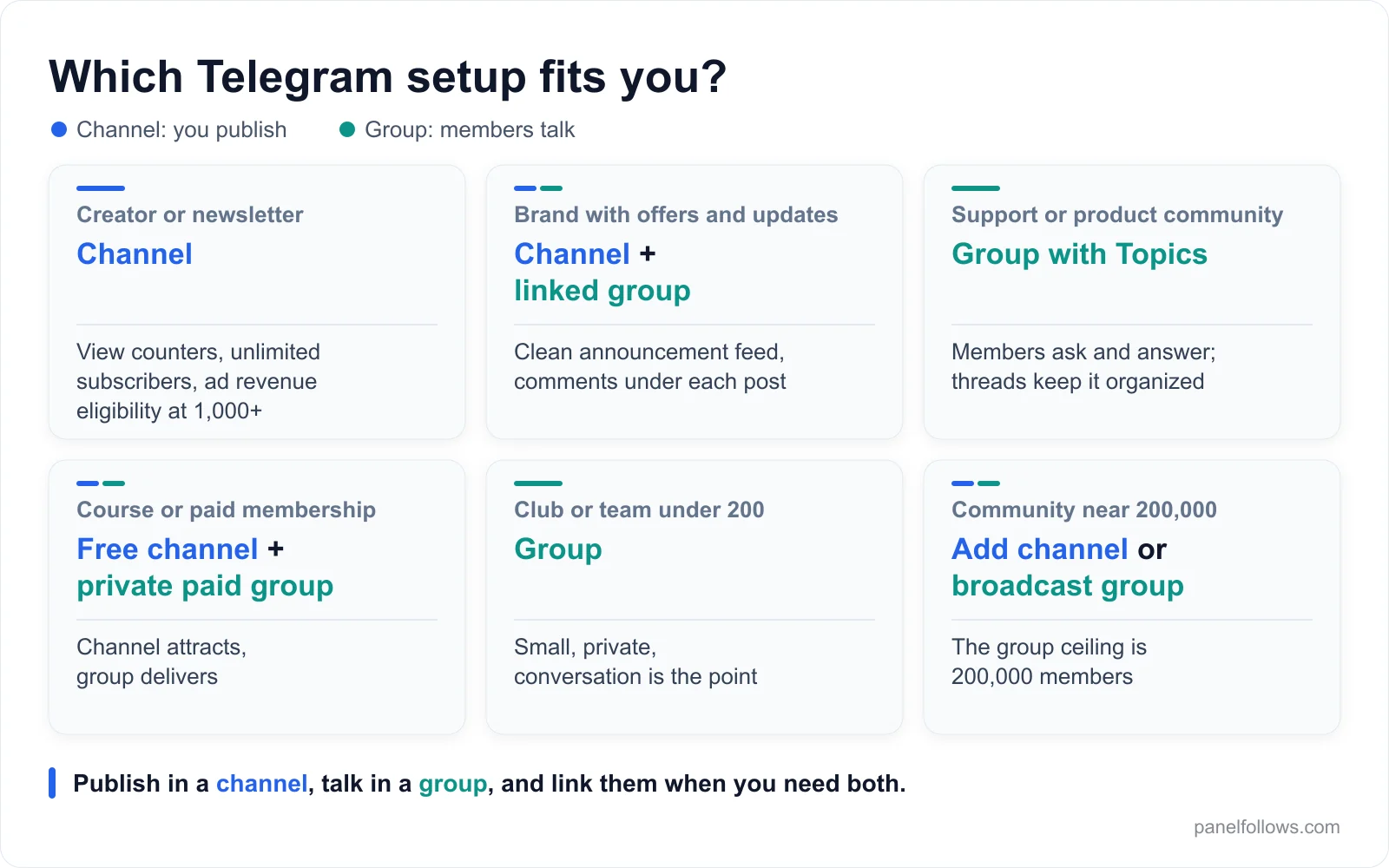
Most businesses and creators end up with a channel for posts and a linked group for comments.
How do you link a discussion group to a channel?
You link a discussion group from your channel's settings, under the Discussion option, and from then on each new channel post gets a comment button whose thread lives in that group. Telegram describes this in a #TelegramTips post on discussion groups: each post gets its own comment thread, while subscribers can also open the group for general chat. You need to be the owner (or an admin with the right permissions) of both the channel and the group.
- Open your channel and tap its name at the top to open the channel info screen.
- Tap Edit (on Android it may appear as a pencil icon or under Manage Channel; on desktop, open the channel menu and choose Manage Channel).
- Choose Discussion.
- Pick an existing group you own, or create a new one right there (cleaner if your existing group has a messy history).
- Confirm the link. If the group is still a basic group, Telegram upgrades it to a supergroup. If the group hides chat history from new members, expect the app to prompt you to make history visible, since comment threads need to be readable.
- Publish a test post in the channel and check that the comment button appears under it and that the post shows up in the group.
Under the hood, according to Telegram's API documentation on discussion groups, every channel post is automatically forwarded into the linked group and pinned there, and a post's comment section is simply the reply thread under that copy. Three practical consequences follow.
First, only posts published after linking get comment buttons, because older posts were never forwarded (the Simla.com documentation on Telegram comments notes the same). Second, deleting a post's forwarded copy in the group turns off comments for that post, handy for sensitive announcements. Third, the group's pinned bar fills with channel posts, so re-pin your rules periodically.
To unlink, go back to the channel's Discussion setting and remove the group. Each channel has one linked discussion group, and a group serves as the discussion group for one channel at a time.
Telegram community setup: what to configure after linking
Linking takes five minutes; the settings afterward decide whether the group stays useful. Work through this checklist before you announce comments to subscribers.
| Setting | Where | Suggested starting point | Why |
|---|---|---|---|
| Member permissions | Group, Permissions | Turn off "add members", "pin messages" and "change group info" for regular members | Stops mass-add spam and pin vandalism |
| Slow mode | Group, Permissions | Off for small groups; 10 to 30 seconds once threads get busy | Keeps hot threads readable |
| Join requests | Group or invite link settings | On for private paid groups, off for open comment sections | Filters bots where membership matters |
| Rules message | Group, pinned | Short rules plus where to get support | Sets expectations before the first argument |
| Post signatures | Channel, Edit | On if several admins post and voice matters | Readers know who wrote what |
| Reactions | Channel and group, Reactions | Limit to a small set | Cleaner signals, less noise |
| Named invite links | Channel, Invite Links | One link per traffic source | Shows which promotion brought joins |
| Admin rights | Both, Administrators | Minimum rights per person; no one but you gets "add admins" | Limits damage from a compromised admin account |
| Direct messages | Channel settings | Off at first, or paid if you get flooded | Opens a private line without exposing your personal account |
On Topics: we could not confirm in Telegram's documentation whether a linked discussion group can also run in forum mode, and app behavior has changed over time, so check in your own app first. If you need both, two separate groups (one linked for comments, one forum-style) is a workable fallback.
For the deeper growth side, including content cadence and cross-promotion between channels, our Telegram channel growth guide picks up where this setup leaves off.
Common mistakes when you run a channel and a group together
The most common mistake is posting announcements in the group instead of the channel, where they get buried and channel-only followers never see them. Anything everyone should see goes in the channel first; the group is where people respond.
The second mistake is linking an established group to a new channel without warning. A casual chat for 300 regulars changes when every channel post starts arriving pinned. Tell members first, or create a new group for comments.
Third, double notifications. Someone who follows the channel and is also a member of the linked group can get notified twice for each post, once from the channel and once from the auto-forward in the group. Tell people in your rules message that muting the group still lets them comment.
Fourth, leaving a public comment group on default permissions. Spammers love comment sections because replies under popular posts get seen. At minimum, stop new members from sending links.
Fifth, treating the group's member count as your audience. Your audience is the channel's view count; a lively thread under each post matters more than how many people joined the room.
Where buying Telegram members, views or reactions fits (and where it does not)
Buying Telegram engagement changes a counter, not an audience, and on Telegram the counters are easy to compare. A channel with 20,000 subscribers and 300 views per post looks wrong to any advertiser, and Telegram's ad revenue follows real ad views. Purchased numbers have a narrow use and a large potential to backfire.
The narrow use is launch social proof. Say you start a channel, publish fifteen solid posts and begin promoting it. A visitor is less likely to join a channel with 4 subscribers than one with a few hundred. A small, gradual batch of Telegram members or post views at that stage changes first impressions while your real promotion does the work. Telegram reactions play a similar first-impression role on individual posts. If you test this, use drip-feed delivery on services that support it so numbers do not jump overnight, and read why counts drop and how refills work before you order, since every service lists its own refill period, or none.
Where it does not fit: inflating views to sell ad placements is misleading the advertiser who pays you, so do not do it. Buying members into a group fills a visible member list with accounts that never talk, which real members notice. And no purchased number qualifies a channel for anything meaningful: ad revenue, ad sales and sponsorships all follow real views. Telegram can also restrict channels and accounts it considers spammy, so nothing here is risk-free.
Panel Follows never asks for a password; ordering needs only a public link or username, and you can compare Telegram services, start times and refill terms on the services page or the Telegram SMM panel overview.
A 30-day plan for launching a channel and a linked group
This plan assumes you start from zero and want a feed plus a comment section. Adjust the pace, but keep the order: content before community, measurement before promotion.
- Days 1 to 3: create the channel only. Pick a short username, write a description that says what subscribers get and how often, and publish 8 to 12 posts so visitors see a real archive.
- Days 4 to 7: post on a fixed rhythm. One post a day is plenty. Log each post's views after 24 hours.
- Day 8: link the discussion group. Follow the steps above, apply the checklist, pin rules, and ask a few people you trust to comment first so early threads are not empty.
- Days 9 to 20: promote with named invite links. One link per source (Instagram bio, a forum, a collaboration with a neighboring channel) shows where your audience really comes from.
- Days 21 to 27: ask questions in posts. End some posts with a real question tied to the content; comments grow fastest when you prompt them.
- Days 28 to 30: review. Compare views by format and topic, check which links converted, and decide whether the group needs slow mode or another moderator. Drop what underperformed, double what worked.
If the group is quiet but channel views are healthy after 30 days, that is not a failure. Some audiences read but do not talk; keep comments on and put your energy into the channel.
Open your account and order in minutes
Signing up is free and takes two steps. Top up with card, bank transfer or crypto, place your order and track delivery from the dashboard.
Frequently asked questions
Can I convert a Telegram group into a channel?
Telegram has no button that turns a group into a channel. The only built-in conversions are basic group to supergroup and near-full supergroup to broadcast group. To move a group's audience, create the channel, announce it in the group with an invite link, then link the old group as the channel's discussion group so conversation continues under the new posts.
How many members can a Telegram group have?
A Telegram group can hold up to 200,000 members. Small groups start in the basic format, capped at 200, and Telegram upgrades them to supergroups automatically as they grow. Groups near the ceiling can convert to a broadcast group with unlimited members, where only admins post. Channels have no subscriber limit, which is why large audiences belong in one.
Do I need a group to get comments on my Telegram channel?
Yes. Channel comments come from a linked discussion group, not a standalone setting. Once you link a group under the channel's Discussion option, every new post is forwarded into that group, and the replies under the forwarded copy become its comment thread. Without a linked group, subscribers can react to posts but cannot comment on them.
Why don't my older channel posts have a comment button?
Comment buttons only appear on posts published after you linked the discussion group. Comments live under the copy of each post that Telegram forwards into the group, and older posts were never forwarded. There is no setting to add comments retroactively; if an old post needs discussion, republish its key content as a new post.
Can channel subscribers see who else is subscribed?
No. A channel's subscriber list is hidden from other subscribers, and posts appear under the channel's name. That privacy is one reason channels suit brands and publishers. In a linked discussion group, however, commenters appear under their own names (or a channel identity if they choose one), so anyone who comments becomes visible to other readers.
Can I make money from a Telegram group?
Not through Telegram's ad revenue share, which covers public channels with at least 1,000 subscribers. Groups earn through paid access managed by a membership bot, sponsorships, and Stars-paid messages in supergroups. The most common profitable structure is a free channel that builds the audience plus a private paid group offering direct interaction or extra material.
Should a business use a Telegram channel or a group?
Most businesses should start with a channel and link a discussion group to it. The channel keeps offers and updates visible with a view count on each post, while the linked group handles questions. A group alone suits businesses whose main need is support or peer discussion, such as software communities or course cohorts, ideally with Topics enabled.
Can I comment in the discussion group as my channel?
Yes. In a linked discussion group, admins can send messages as the channel instead of their personal account, using the identity selector next to the message field. This keeps replies on-brand and hides which team member is answering. Remember when moderating that a comment posted under a channel identity can come from anyone who runs that channel.
Sources and further reading
- Sharing Revenue with Channel Owners (Telegram blog): the official 50 percent ad revenue share announcement.
- Discussion groups (Telegram API documentation): how posts are forwarded into linked groups and how comments work.
- Telegram on X: discussion groups tip: Telegram's own explanation of comments via discussion groups.
- Telegram on X: broadcast groups tip: Telegram on converting near-full groups to broadcast groups.
- Paid messages (Telegram API documentation): Stars-paid messages for users, supergroups and channels.
- channels.updatePaidMessagesPrice (Telegram API documentation): channel direct messages and paid messages reference.
- Telegram Limits (Telegram Info): community-maintained list of admin, bot, statistics and group limits.
- Sharing comments on Telegram (Simla.com documentation): confirms older posts do not get comment threads.