
Do YouTube Tags Matter? What Actually Ranks Videos
Do YouTube tags matter? YouTube says barely. Learn what really drives search and suggested views: titles, thumbnails, descriptions and retention.
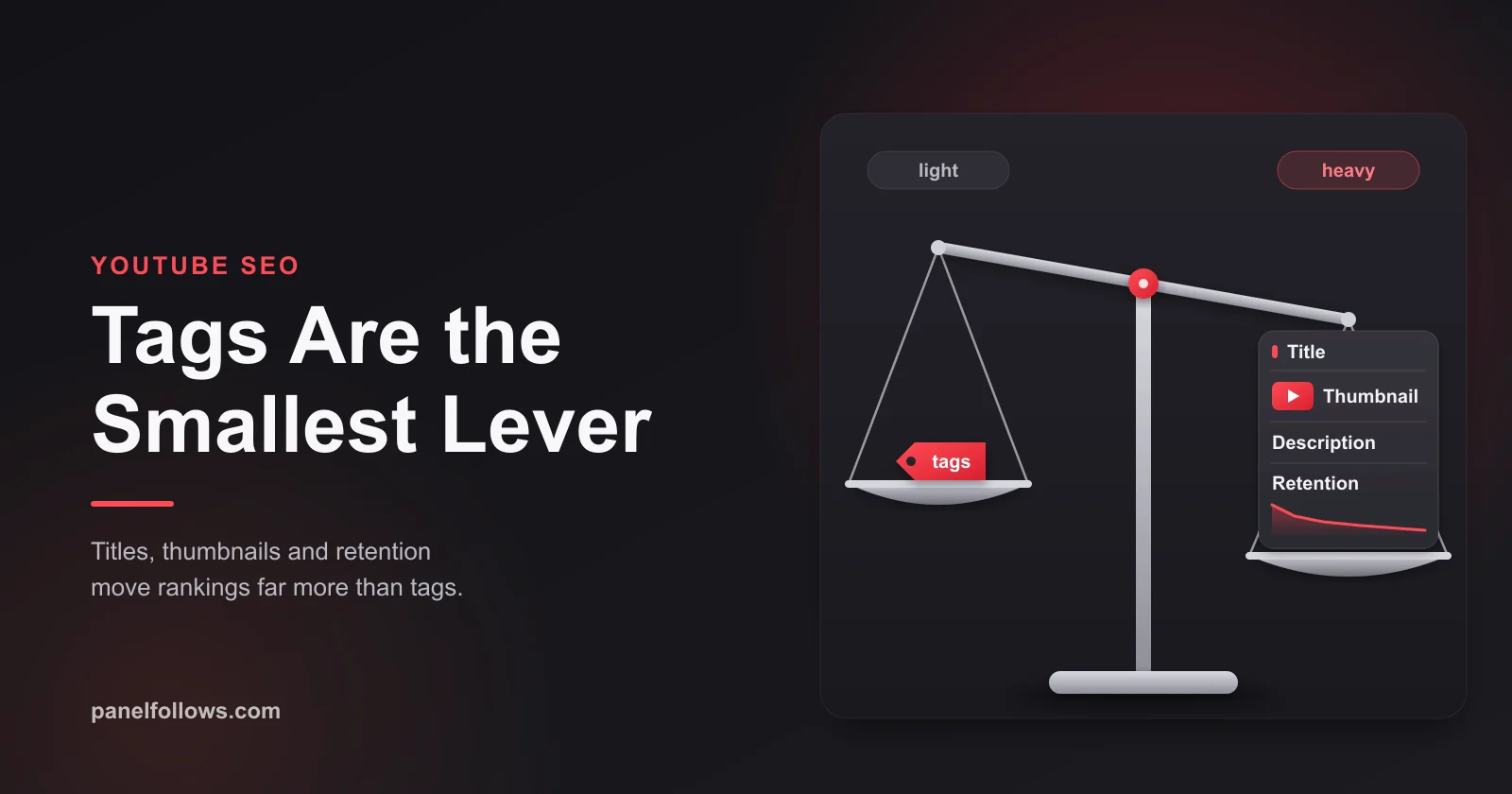
Do YouTube tags matter? Barely. YouTube's own help page says tags play a minimal role in helping people find a video. They're mainly useful when your topic is commonly misspelled, and the title, thumbnail and description matter more. Search rank comes from relevance, engagement and quality, and recommendations come from how viewers respond. Give tags five minutes. Spend the rest of your time on the title, the thumbnail, the opening lines of the description and the first thirty seconds of the video.
Picture the usual upload evening. The video is exported, and you open a tag generator that hands you 40 suggestions and an "SEO score" of 62 out of 100. You paste tags until the score turns green, publish, and a week later the video has the same few hundred views as the last one. The tags weren't the problem, and adding more of them wouldn't have fixed it.
This guide covers what YouTube has actually said about tags, search and recommendations, why tag tools tell a different story, and what moves a video in search and suggested traffic: titles, thumbnails, the first lines of the description, chapters and retention. It ends with a test you can run on your own channel, so you don't have to take any of this on trust. Facts in this guide were checked in October 2026.
What does YouTube officially say about tags?
YouTube says tags are a minor piece of metadata. The official help page, Add tags to your YouTube videos, states that your title, thumbnail and description are more important for discovery, and that tags are useful if your content is commonly misspelled. Otherwise, in YouTube's words, "tags play a minimal role in your video's discovery."
The same page adds a warning: putting excessive tags into your video description is against YouTube's policies on spam, deceptive practices and scams. The tag field is a small helper, and stuffing keywords into the visible description is a policy risk.
There's a second official page that keeps this from being an all-or-nothing answer. How YouTube search works says that to estimate relevance, YouTube looks at how well the title, tags, description and video content match a search query. So tags are an input, but a small one. Both statements can be true at once.
| Official statement | Where it comes from | What it means in practice |
|---|---|---|
| Title, thumbnail and description are more important than tags | YouTube Help, tags page | Put your effort into those three first |
| Tags help when content is commonly misspelled | YouTube Help, tags page | Misspellings and odd spellings are the clearest use case |
| Tags otherwise play a minimal role in discovery | YouTube Help, tags page | Adding more tags won't rescue a weak video |
| Relevance is judged from title, tags, description and video content | How YouTube search works | Tags count as one relevance input among four |
| Excessive tags in the description break spam policy | YouTube Help, tags page | Never paste keyword lists into the visible description |
What YouTube doesn't publish is a number: no ideal tag count, no weight for tags compared to titles, and no tag score. Any figure you've seen for those comes from a third-party tool.
Why do tag tools make tags look so important?
Tag tools overstate tags because tags are the one part of a video a tool can easily grade. Software can count your tags, compare them with a keyword list and give you a score. It can't grade whether your first 30 seconds hold people, and that matters far more.
There's also a correlation trap. Tag extractor extensions read the tags of top-ranking videos from the page code (viewers don't see tags on the watch page). Big, well-run channels tend to fill in every field, so top videos usually have tidy tag lists. That doesn't mean the tags caused the ranking. Those videos also have better titles, better thumbnails, stronger retention and larger audiences.
None of this makes the tools useless. Their keyword research features, such as estimated search volume and related phrases, can help you choose the words for your title. Just treat those numbers as estimates, and treat any "SEO score" as the tool's own metric. YouTube has never said it uses one.
How does YouTube search actually rank videos?
YouTube search ranks videos on three elements: relevance, engagement and quality, plus personalization from your own history. The How YouTube search works page also says how much each element counts can vary by type of search. A query like "how to change a bike chain" is not weighed the same way as a breaking news query.
| Element | What YouTube says it looks at | What you control |
|---|---|---|
| Relevance | How well the title, tags, description and video content match the query | Clear title wording, a description that states the topic, saying the topic out loud in the video |
| Engagement | Overall engagement, such as watch time of a video for a particular query | Delivering what the title promised, fast, and holding attention |
| Quality | Signals that a channel shows expertise, authoritativeness and trustworthiness on a topic | Consistent coverage of a subject, accurate information, a channel identity that fits the topic |
| Personalization | The viewer's search and watch history, if enabled | Indirectly: building an audience that watches your topic |
Two details on that page matter for tags. First, "video content" sits in the relevance list next to the metadata fields, so YouTube looks at the video itself, not only the words you type into Studio. Second, engagement is measured per query: watch time "for a particular query". A video that matches a search on paper but loses searchers quickly is telling YouTube it isn't the answer, whatever its tags say.
Engagement also feeds back into relevance. YouTube says engagement signals help determine whether other users consider a video relevant to the query. In practice, people's viewing behavior can confirm or override what your metadata claims.
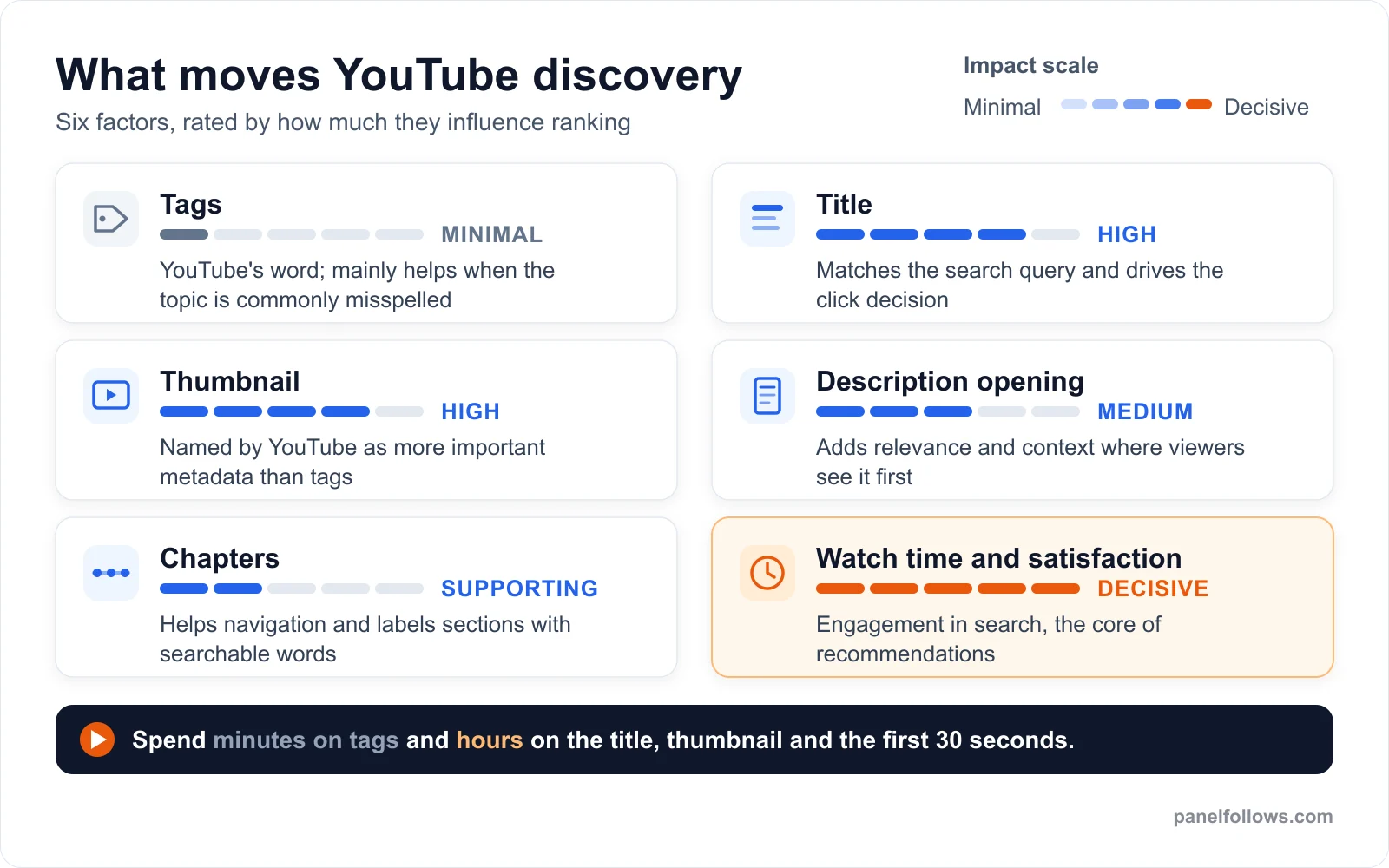
Editorial summary based on YouTube's own help pages on tags, search and recommendations.
Search, suggested and browse: where do tags stop mattering?
Tags matter, if at all, only in YouTube search. They don't appear among the signals YouTube lists for recommendations. That covers the homepage, Up Next and the Shorts feed, which on many channels bring in most views.
The How YouTube recommendations work page lists the primary recommendation signals: watch history, search history, channel subscriptions, likes, dislikes, "Not interested" feedback, "Don't recommend channel" feedback and satisfaction surveys. It says the system learns from over 80 billion signals and that, for Up Next, the video someone is currently watching is the main signal. Tags aren't on the list.
YouTube's How YouTube Works recommendations page adds that, as in search, YouTube considers a channel's reputation and quality when deciding how and to whom content is shown. It also uses external evaluators to judge how an average viewer would perceive the content. In a 2025 discussion reported by Search Engine Journal, YouTube described recommendations as "pulling" videos for each viewer instead of pushing them out broadly. It also stressed satisfaction over raw watch time.
So the first question isn't "are my tags good?" but "how much of my traffic comes from search at all?" Here's a hypothetical. Say you run a channel reviewing budget espresso machines, and your Traffic source report for the last 28 days shows 20 percent YouTube search, 50 percent suggested videos and 20 percent browse features. Even if tags were a strong search signal, they'd affect one fifth of your views. And within that fifth, YouTube calls them minimal.
| Traffic source | What feeds it | Do tags help? | What moves it |
|---|---|---|---|
| YouTube search | Relevance, engagement, quality, personalization | Slightly, mostly for misspellings | Title wording, description opening, spoken content, watch time per query |
| Suggested videos | The video being watched plus viewer history | No sign of it | Topic overlap with videos your audience watches, retention, satisfaction |
| Browse features (homepage) | Mainly the viewer's watch history | No sign of it | Thumbnail, title, how satisfied past viewers were |
| Shorts feed | Personalized Shorts recommendations | No sign of it | Hook, rewatches, swipe-away rate |
| External | Links from outside YouTube | No | Where you share and how you frame the link |
You can check this for your own channel in YouTube Studio under Analytics, Content, Traffic source. If you're curious how view counts behave when the traffic isn't real, our guide to free YouTube views and fake view traps covers that side of it.
Test this on one post before you scale
The cheapest way to check the logic above is a small order on a single post, then compare the outcome against your own Insights data.
How do you write a YouTube title that ranks and gets clicked?
A title has two jobs. It has to match the words people type into search, and it has to persuade someone scrolling past to click. If it does only one, it fails. A title stuffed with keywords and no reason to click gets impressions and no views. A clever title with no searchable words never shows up in search at all.
YouTube titles are capped at 100 characters, and the visible length depends on the device and the surface, so the important words belong at the front. Here's a procedure that works for search-led videos:
- Type your topic into YouTube's search bar as a viewer and note the autocomplete suggestions. Those are phrases people actually use.
- Look at the first page of results. If every top video uses the same phrase, that phrase is how searchers describe the topic.
- Put that phrase, or a natural version of it, in the first half of the title.
- Add the reason to click in the second half: a result, a number, a problem, a comparison.
- Read the title next to your thumbnail. They should add to each other, not repeat the same words.
- Check that the video delivers what the title promises within the first minute.
Here's a hypothetical. "My Thoughts After Six Months" has no searchable words. "Breville Bambino After 6 Months: 3 Problems Nobody Mentions" puts the product name first, then a specific promise. The second title can rank for the product name and gives a reason to click, but only if the three problems are actually in the video. Otherwise searchers leave quickly, and that per-query watch time works against you.
Avoid titles that promise something the video doesn't contain. Besides YouTube's policies on misleading metadata, it's bad for ranking: unhappy viewers click away, hit "Not interested" or rate the video poorly in satisfaction surveys, and all of those are listed recommendation signals.
What should go in the first lines of the description?
Use the first one or two sentences of the description to state plainly what the video answers, in the words a searcher would use. Those opening lines are what people see in some search results and above the "more" link on the watch page. The rest of the 5,000-character field is for people who choose to expand it.
A good opening reads like a summary for a person, not a keyword list. "In this video I descale a Breville Bambino step by step, using citric acid instead of the branded descaler, and show the two parts most people forget to rinse." That one sentence names the product, the task and a variant phrasing (citric acid descaling) without repeating anything.
Below the opening, a practical order is: a few sentences of context, any links or resources you mentioned, chapters, and two or three relevant hashtags at the end. Leave out "keywords:" blocks or long lists of search terms. YouTube's tags page specifically says excessive tags in the description go against its spam policy.
Don't forget what you say out loud. YouTube lists "video content" as a relevance factor, so saying the topic clearly near the start, and correcting automatic captions when they mishear a brand or technical term, is a reasonable step. YouTube doesn't say exactly how it uses speech or captions in ranking, so treat this as low-cost good practice, not a confirmed lever.
Do chapters help YouTube SEO?
YouTube doesn't name chapters as a ranking factor, but they help in two indirect ways. They label sections of your video with plain, searchable words, and they let viewers jump to the part they came for instead of leaving. For tutorials, reviews and long explainers, that second effect is often the bigger one.
Manual chapters come from timestamps in the description, and the formatting rules are strict. The list must start at 0:00, there must be at least three timestamps in ascending order, and each chapter must last at least 10 seconds. If one line breaks the pattern, the whole set usually won't display. YouTube can also generate automatic chapters for eligible videos, and a manual list takes priority over the automatic one.
Write chapter titles the way someone would search for the section. "Step 3: Rinse the steam wand" is more useful than "Part 3". Chapters can also appear as key moments in Google Search results, which can bring in traffic from outside YouTube, though that's up to Google and not guaranteed.
There's one trade-off. Chapters let people skip, so the average view duration of a video may look lower than if everyone sat through a slow intro. In our experience the better comparison is with the viewer who would otherwise have left after 40 seconds of searching. Skipping to the answer usually keeps that person on your video.
Thumbnails and A/B testing: why does watch time pick the winner?
The thumbnail is one of the biggest influences on whether someone clicks, and YouTube's own testing tool judges thumbnails by watch time rather than clicks. That tells you what the platform values. The A/B test titles and thumbnails help page says creators can test up to three different titles and thumbnails. When the test ends, the option with the highest watch time is shown to all viewers.
Title testing came later than thumbnail testing. As Tubefilter reported in July 2025, YouTube began experimenting with title tests for a small percentage of creators, two years after announcing thumbnail tests. Availability can still vary by account, so check your own Studio.
Here's how to run a test that tells you something:
- Pick a video that gets steady impressions. A test on a video with almost no traffic will usually come back inconclusive.
- Change one thing at a time: thumbnail only, or title only. If you change both, you won't know which one made the difference.
- Make the options really different (a face versus an object, a number versus a question), not three shades of the same image.
- Let the test finish without changing anything else on the video.
- Write down the result and what you think explains it, so the next thumbnail starts from that lesson.
Because YouTube picks the winner on watch time, an attention-grabbing thumbnail that gets more clicks but attracts the wrong viewers can lose to a calmer one. If you want to understand what click-through and engagement percentages mean before reading test results, our explainer on engagement rate and how to calculate it covers the basic math.
Why do retention and satisfaction decide whether search traffic sticks?
Retention decides whether a video keeps getting traffic after its first impressions. In search, YouTube measures watch time for the specific query. In recommendations, it adds likes, dislikes, "Not interested" feedback and satisfaction surveys. A perfectly tagged video that loses viewers in the first 20 seconds is telling the system it disappointed the people it reached.
YouTube publishes no retention threshold, so ignore any claim that you need a specific percentage to be recommended. Use your own audience retention graph in Studio and look for three patterns: a steep drop in the first 30 seconds (a hook or intro problem), a sudden cliff in the middle (a slow or off-topic section), and a gradual slope (normal, and fine).
Here's a hypothetical. Say a video titled "How to Descale a Breville Bambino" opens with 90 seconds of channel news and a sponsor read before the first step. Searchers came for a procedure. Many will leave before it starts, and the per-query watch time tells YouTube the video wasn't a good answer for that search. Moving the first step to the 15-second mark would likely do more for its search position than any tag could.
The same thinking applies to your whole channel. YouTube's recommendation pages say channel reputation and quality affect how widely content is shown. A channel that keeps delivering on its titles builds up that reputation. If you're working toward the Partner Program, our YouTube monetization requirements guide explains why real watch hours are the ones that count. If you post clips, check the reused content policy after the Shorts update before assuming metadata is your problem.
How many tags should you use on YouTube?
Use a handful of tags, often somewhere between three and eight, chosen deliberately. YouTube doesn't publish an ideal number. The Studio tag field holds 500 characters in total, and filling all of it doesn't help, because YouTube itself calls tags minimal and a long list of loosely related phrases only blurs what the video is about.
| Tag type | Worth adding? | Example (cooking channel, hypothetical) |
|---|---|---|
| Common misspellings of the topic | Yes, this is the use case YouTube names | worchestershire sauce, worcester sauce |
| Alternate names and abbreviations | Usually, low cost | Worcestershire substitute, W sauce |
| Your main topic phrase | Fine, though the title already covers it | homemade Worcestershire sauce |
| Your channel or series name | Optional, harmless | channel name, series name |
| Unrelated trending names or creators | No, misleading metadata risk | a famous chef who isn't in the video |
| Long lists of loosely related phrases | No, dilutes relevance | 40 variations of "easy recipe" |
Note that YouTube only names misspellings explicitly. Alternate names and abbreviations are a reasonable extension of the same idea, but that's our reading, not YouTube's wording. Changing tags on old videos is also unlikely to move anything on its own. If an old video is underperforming in search, the title and description opening are better places to start.
Tags vs hashtags: what is the difference?
Hashtags are a separate, visible feature. You type them with a # symbol into the title or description, and they work as clickable links to a page of other videos using the same hashtag. YouTube's hashtag help page says up to three hashtags from the description can appear by the title. If a video has more than 60 hashtags, YouTube ignores all of them, and over-tagging can get the video removed from your uploads or from search.
Tags are hidden from viewers and do very little. Hashtags are visible, can be clicked, and come with clear limits. Two or three accurate hashtags at the end of the description are plenty for most videos, Shorts included.
A 14-day test you can run on your own channel
The best way to settle the tag question for your own channel is to measure it. YouTube Studio already shows which search terms bring viewers to each video. Here's how to run the test:
- Open Studio, go to Analytics, then Content, then Traffic source, and set the range to the last 28 days. Note what share of views come from YouTube search.
- Click into YouTube search to see the search terms. List the five terms that bring the most views to the channel.
- Pick one older video that gets search impressions but has a weak impressions click-through rate. Rewrite its title and the first two lines of its description. Don't touch the tags. Note the date.
- Pick a second, similar video and change only its tags: add misspellings and alternate names, and remove irrelevant ones. Note the date.
- After 14 days, compare each video's search views, impressions and the search terms report with the 14 days before the change.
- Repeat on two or three more pairs before drawing conclusions. One pair can be skewed by seasonality, a competitor's upload or a random spike.
If your results match what YouTube says, the title and description change will show a visible difference more often than the tag change. If the tags change something, it'll usually be for a misspelled or alternate phrase, which is exactly the case YouTube describes.
For every new upload, a simple time budget keeps effort where it pays off:
| Upload task | Suggested time | Why |
|---|---|---|
| Title options (write five, pick one) | 15 to 20 minutes | Relevance match and click decision |
| Thumbnail (two or three real alternatives) | 30 minutes or more | Biggest click driver, testable with A/B testing |
| First 30 seconds of the edit | As long as it takes | Watch time per query and satisfaction |
| Description opening and chapters | 10 minutes | Context for searchers and navigation |
| Hashtags (two or three) | 2 minutes | Visible, clickable, low cost |
| Tags (misspellings, alternate names) | 3 to 5 minutes | Minimal role, but cheap |
Where does buying views fit, and where does it not?
Buying views doesn't improve search ranking, and in most cases it isn't worth paying for. Purchased views don't come from YouTube search, so they don't tell YouTube your video answers a query. They don't show up in the search terms report. If those viewers don't watch for long, they can pull your average view duration down. Paid views also carry platform risk: YouTube's fake engagement policy prohibits artificially inflating views, likes, comments or subscribers, including through third-party services.
There's a narrow case where some people decide the trade-off is acceptable: a small starting count on a new upload so the first real visitors don't land on a video with almost no views. That's about how the video looks to people, not about ranking, and it doesn't replace any of the work above. Our guide to free YouTube subscribers explains why subscribers who never watch end up hurting a channel.
If you decide to use a panel anyway, know what you're buying. Every service in the YouTube views catalog lists its start time, speed, minimum and maximum quantity, refill period (if any) and whether it can be canceled. Panel Follows only needs a public link and never asks for your password. There are small free samples on the free services page, but they're a sample, not a growth method. The broader YouTube services overview shows what exists across categories. None of it will rank a video that searchers abandon.
Open your account and order in minutes
Signing up is free and takes two steps. Top up with card, bank transfer or crypto, place your order and track delivery from the dashboard.
Frequently asked questions
Do YouTube tags help with SEO at all?
A little. YouTube's search page lists tags among the relevance inputs, next to the title, description and video content. But YouTube's tag help page says tags play a minimal role in discovery and are mainly useful when your topic is commonly misspelled. In practice, tags can catch an odd spelling or alternate name. They won't make up for a weak title, thumbnail or retention.
How many tags should I put on a YouTube video?
YouTube doesn't publish an ideal number. The Studio tag field holds 500 characters in total, but filling it doesn't help, because YouTube says tags play a minimal role in discovery. A handful of deliberate tags, roughly three to eight, covering misspellings, alternate names and your main phrase is enough for most videos. Use the rest of your upload time on the title, thumbnail and opening.
Are YouTube tags visible to viewers?
Not on the watch page. Tags sit in a hidden field in YouTube Studio, unlike hashtags, which appear as clickable links in the title or description. Tags can still be read from the page code, which is how tag extractor browser extensions work. So competitors can see them, but ordinary viewers scrolling past or watching the video never do.
Should I copy tags from top-ranking videos?
Copying tags from top videos rarely helps, because those videos usually rank for their titles, thumbnails, retention and channel authority, not their tags. Copying a competitor's channel name or unrelated phrases can also count as misleading metadata. If you look at competitors' tags, use them as a list of phrases people associate with the topic. The better place for those phrases is your own title and description.
Do hashtags work better than tags on YouTube?
They do different jobs. Hashtags are visible and clickable, and up to three from the description can appear by your title, linking to a page of videos with the same hashtag. Tags are hidden and play a minimal role. Two or three accurate hashtags are a sensible addition, but keep it short: more than 60 hashtags makes YouTube ignore all of them.
Do tags matter for YouTube Shorts?
There's no sign they do. Most Shorts views come from the Shorts feed, which YouTube describes as personalized based on viewer behavior, and tags aren't among the recommendation signals it lists. For Shorts, the hook in the first second, whether people watch to the end or rewatch, and a clear on-screen topic matter far more. A couple of relevant hashtags in the title or description are enough.
Can tags get a YouTube video removed?
Tags on their own rarely cause trouble, but misuse can. YouTube's tag help page says excessive tags in the description go against its spam policy. The hashtag page warns that over-tagging may remove a video from search, and that misleading hashtags can get it taken down. Keep tags relevant, never add unrelated trending names, and never paste keyword lists into the visible description.
Does changing tags on old videos help them rank?
Usually not by itself. Since YouTube calls tags minimal, rewriting them on an old video rarely changes its search traffic. A better test is to rewrite the title and the first lines of the description, keep the tags the same, and compare 14 days of search views before and after. If the topic is commonly misspelled, adding those spellings as tags is the one tag edit worth trying.
What is the most important factor for YouTube SEO?
No single factor wins, but the most consistent one is whether searchers stay. YouTube says search ranks on relevance, engagement and quality, and that engagement includes watch time for a particular query. A clear title gets you considered, a strong thumbnail gets the click, and a video that answers the search quickly keeps you ranking. Tags come last on that list.
Sources and further reading
- Add tags to your YouTube videos (YouTube Help): YouTube's statement that tags play a minimal role and mainly help with misspellings, plus the description spam warning.
- How YouTube search works (YouTube Help): the official relevance, engagement and quality model for search ranking.
- How YouTube recommendations work (YouTube Help): the list of primary recommendation signals, including satisfaction surveys.
- Recommendations (How YouTube Works): YouTube's explanation of channel reputation, quality and external evaluators in recommendations.
- Find playlists and videos using hashtags (YouTube Help): hashtag placement, the three-by-the-title rule and the 60-hashtag limit.
- A/B test titles and thumbnails (YouTube Help): how the built-in test works and why the winner is picked on watch time.
- YouTube expands test and compare to titles (Tubefilter): July 2025 report on the start of title testing.
- How YouTube's recommendation system works in 2025 (Search Engine Journal): coverage of YouTube's comments on satisfaction and "pulling" videos for viewers.